Turn on referrals
A step-by-step guide to turning on the referral program in the Loybox dashboard and defining how many points each referral earns.
Turning on referrals takes less than a minute. It is configured from the Premios (Rewards) page, alongside the rest of the automatic rewards.
The dashboard is in Spanish
Loybox's admin dashboard is not translated yet, so menu and button names are quoted exactly as they appear on screen, with the English meaning right after.
Step by step
Go to Premios (Rewards)
In the sidebar, under Fidelización (Loyalty), tap Premios.
Scroll to Premios especiales (Special rewards)
Below the catalog you will find the Premios especiales section, with the automatic rewards.
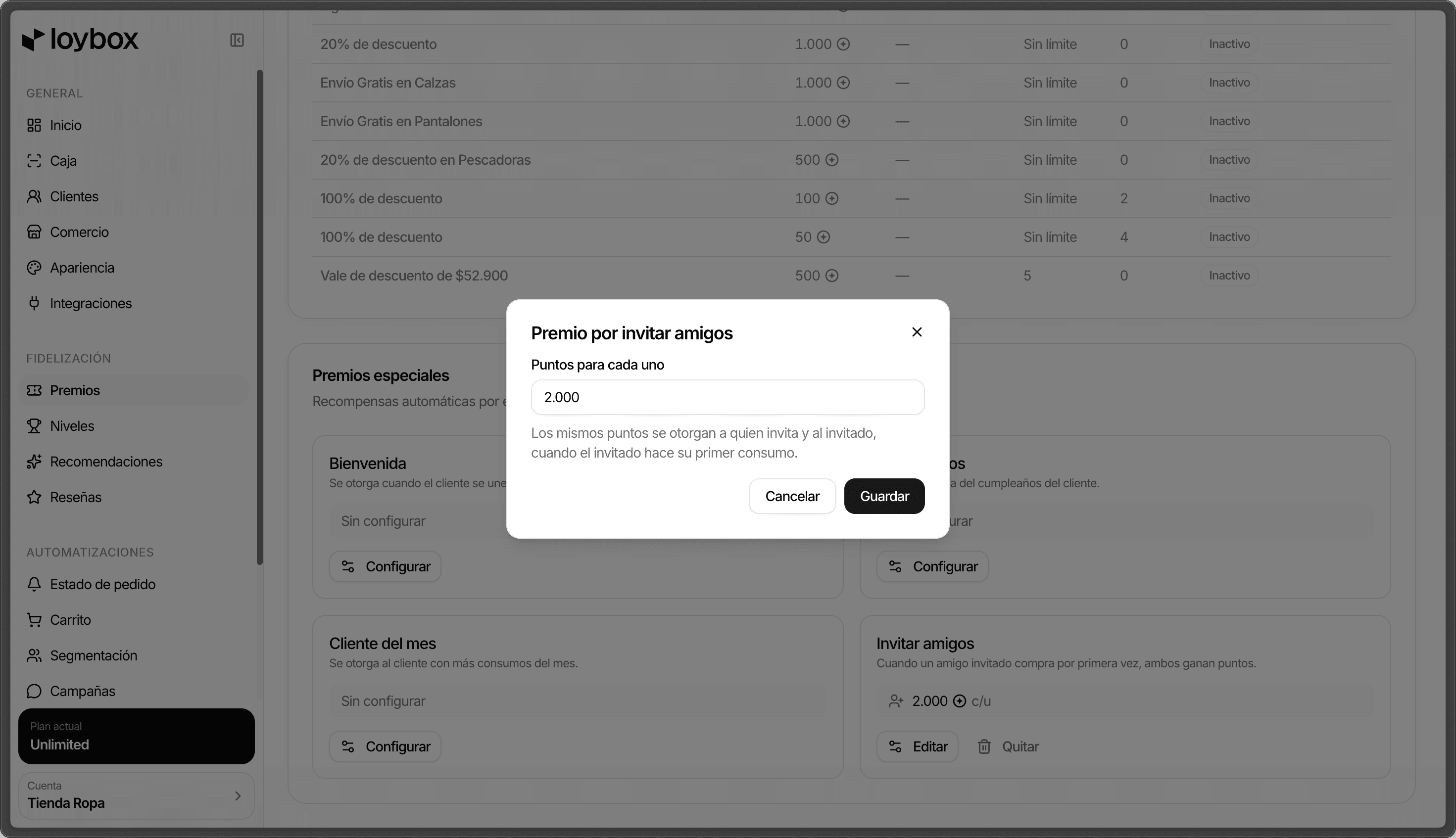
On Invitar amigos (Invite friends), tap Configurar (Configure)
It is the box that reads "Cuando un amigo invitado compra por primera vez, ambos ganan puntos" ("When an invited friend buys for the first time, both earn points"). If you have not configured it yet, it shows as Sin configurar ("Not configured").
Define the Puntos para cada uno (points for each)
Enter how many points each referral earns. That same value goes to the referrer and to the invitee, when the invitee makes their first purchase.
Tap Guardar (Save)
That is it: the program is live and your members start earning points for inviting.
Editing or turning it off
Edit
Go back to Invitar amigos and tap Editar to change the points whenever you want.
Remove
Tap Quitar to turn the program off. Your members stop earning points for inviting.
The value you enter is the same for both sides: the referrer's points and the invitee's points are not configured separately.