Configure reviews
A step-by-step guide to turning on reviews in the Loybox dashboard, both Google reviews and product reviews (native or with your own system).
Configuring reviews is a matter of turning on what you want to use. Changes save themselves as you make them.
The dashboard is in Spanish
Loybox's admin dashboard is not translated yet, so menu and button names are quoted exactly as they appear on screen, with the English meaning right after.
The Reseñas (Reviews) section requires your online store to be connected, because review requests fire on the delivery of each purchase.
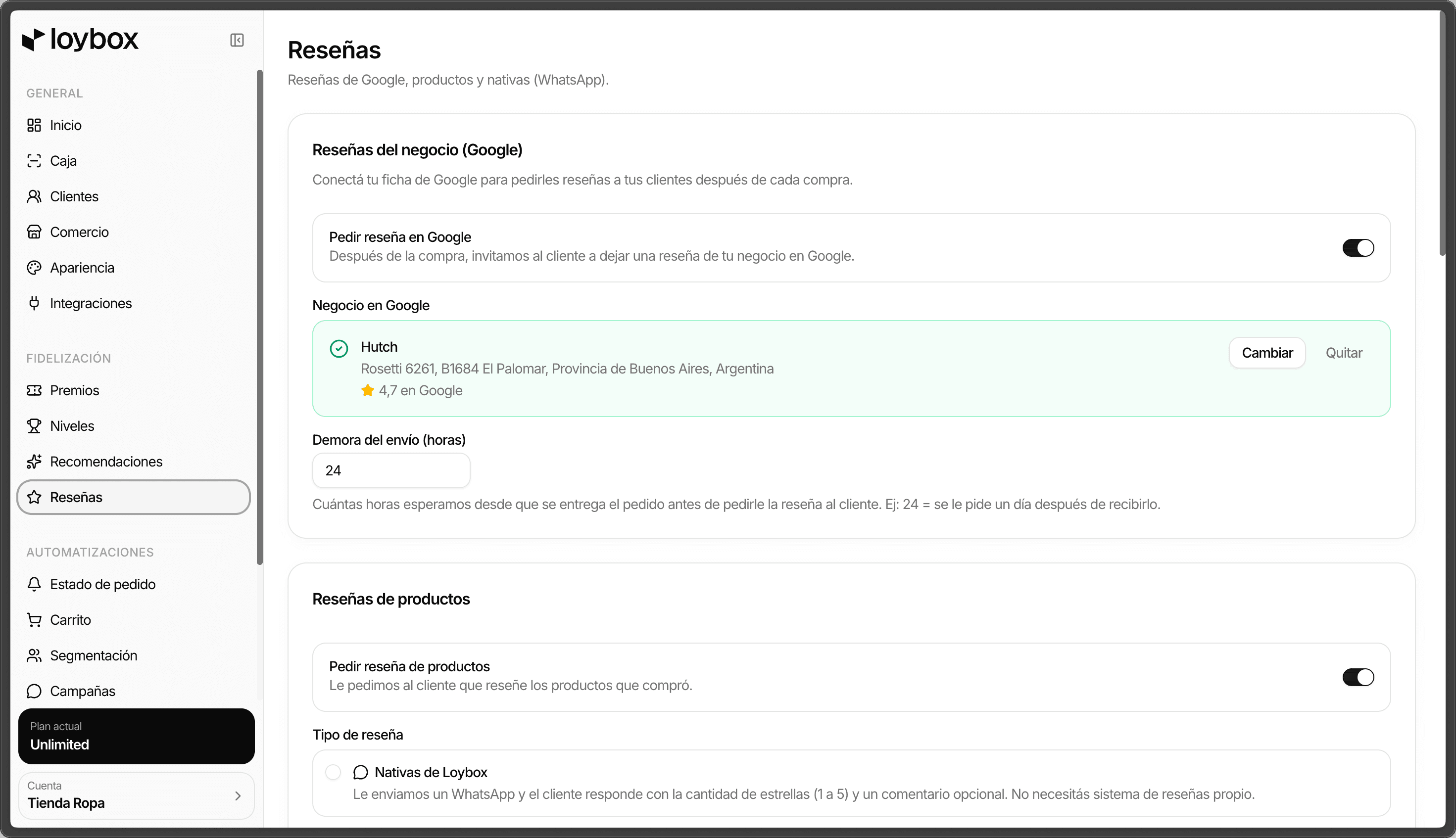
Business reviews (Google)
Go to Reseñas (Reviews)
In the sidebar, tap Reseñas.
Turn on Pedir reseña en Google (Ask for a Google review)
With the toggle on, after each purchase the member is invited to leave a Google review of your business.
Connect your Google listing
Search for and select your business. Until you pick it, Loybox cannot send the review request.
Adjust the Demora del envío (horas) (send delay in hours)
How many hours to wait from delivery before asking for the review (for example,
24 = one day later).
Product reviews
Turn on Pedir reseña de productos (Ask for product reviews)
With this on, the member is asked to review the products they bought.
Choose the Tipo de reseña (review type)
Loybox native
They get a WhatsApp and reply with the star rating (1 to 5) and an optional comment. You do not need a review system of your own.
External (your own system)
You load one review link per product and Loybox sends it to the member over WhatsApp.
Adjust the Demora del envío (horas) (send delay in hours)
Same as with Google: how long to wait from delivery before asking.
If you picked External, load the links
In the Links de reseña por producto (per-product review links) section, look up each product and paste its review link. That is what Loybox will send the member.
It saves itself
There is no save button: every change (toggles, review type, delay) applies instantly. You can preview how the WhatsApp reaches the member under Así le llega al cliente ("How the member sees it").